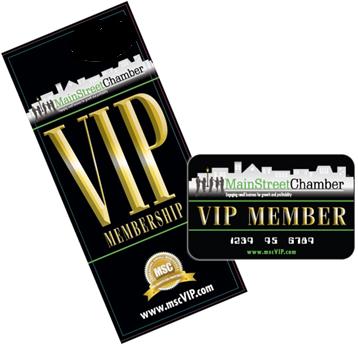
So you want to get your business listed on our VIP Membership website? Smart decision on your part. We expect tens of thousands of people to visit our VIP website on a daily basis soon and some of these visitors will be looking for the products/services you offer. And best of all, its free! How cool is that?
The purpose of this page is to offer instructions that will help you get your business listed quickly. Before you begin, you may wish to figure out what information you want people to see when they find your listing. Even though the listing is free, you might as well include the kind of information that will increase your sales and revenue. On the other hand, you may be the kind of person who prefers to dive, get the process started and come back later to finish it. Either way, here is a list of the type of information that you will need to complete your organization‘s profile:
- Business Description – You will need to write an elevator pitch (a short & powerful statement) about your organization for the “Business Description” field. A good elevator pitch includes what you (your products/service) provide for (this group of people) that is better, faster and/or cheaper even if (describe a worse case scenario). For example, “I provide fast, affordable commercial carpet cleaning and restoration services that are guaranteed to work even when other efforts have failed.”
- Discount – You will also want to give some thought to a special offer you will make to VIP Membership Cardholders for the “Discount” field. You are not required to give members a discount. However, if you don’t, it could dramatically reduce the amount of business you secure from this source. So, think carefully about the offer you wish to make. If you are not a marketing person, you might find it useful to talk with someone who is. Be sure to be very specific so there can be no understandings between the Cardholder and your organization (that would be bad) and make it persuasive enough that it would attract new customers for your organization (that would be good).
- Logo – You should have a digital logo available to upload on the site. It should be as a high a resolution as you can get without exceeding the file size of 300k. Anything bigger will take too long to load and will be rejected by the website.
- Icon – This is an image representing your organization or your offer. The width should be the same as the height and not exceed the file size of 300k. It can be your logo, a part of your logo or something completely different.
Once you have this information together, you are ready to begin. However, if you don’t have it all together, it shouldn’t keep you from getting started as you can always come back later and finish it. Let’s get started.
- Click here to start (a new window will open so you can switch back and forth between windows).
- Read the page and click the green button to register.
- Complete and submit the simple form to register for the site. This will allow you to login and create your business profile and offer.
- Once you have completed and submitted the online form, you will receive an email with a link to confirm that you entered your email address correctly. Click on the link to confirm. A window will open verifying that your confirmation has been accepted and instructing you to log into the site.
- Login using the field in the upper right-hand corner of the page.
- After you login, you will see several links on the green bar across the top of the page under the MainStreetChamber™ logo. Click the link “Add Your Business”.
- Complete the form and click the “Send” button. That’s it. You’re done.
Voila! Now you have your very own (attractive) business listing page that you can come back to any time you wish to make changes to your offer or the content.
NOTE: If the instructions differ slightly from what you see it is only because the site is brand new and we are still working to improve it.
Frequently Asked Questions
Q: “How can people see my business listing page and why can’t I see the other businesses listed on this site?”
A: At this point, the only way people will see your business listing page is if they purchase a VIP Membership Card and register on this site.