Key updates for March 2026 on Financials Service, Procurement, and more!
|
Welcome to the latest edition of BFS Insider News, where we share key updates from Contracts & Grants, Financial Services, Procure to Pay, Travel & Entertainment, and more! |
|
|---|
|
Web Recharge Unavailable
Upcoming System Maintenance
Please be advised that Web Recharge will be unavailable from Friday, March 27, 2026 at 11:30 PM PST until Sunday, March 29, 2026 at 5:00 PM PST.
The disruption period is designated for an annual version upgrade to ServiceNow, which requires a temporary interruption of the service.
We apologize for the inconvenience that this may cause. If you experience any disruption in services beyond the maintenance window, have any concerns, or would like more information, please visit TechAlerts at techalerts.ucr.edu or contact Finance and Administration Support at https://ucrsupport.service-now.com/finadmin_portal.
|
|
|---|
|
|
Mass Billing Updates
Web Recharge
Since launching the Mass Billing feature in Web Recharge, a few changes have been made.
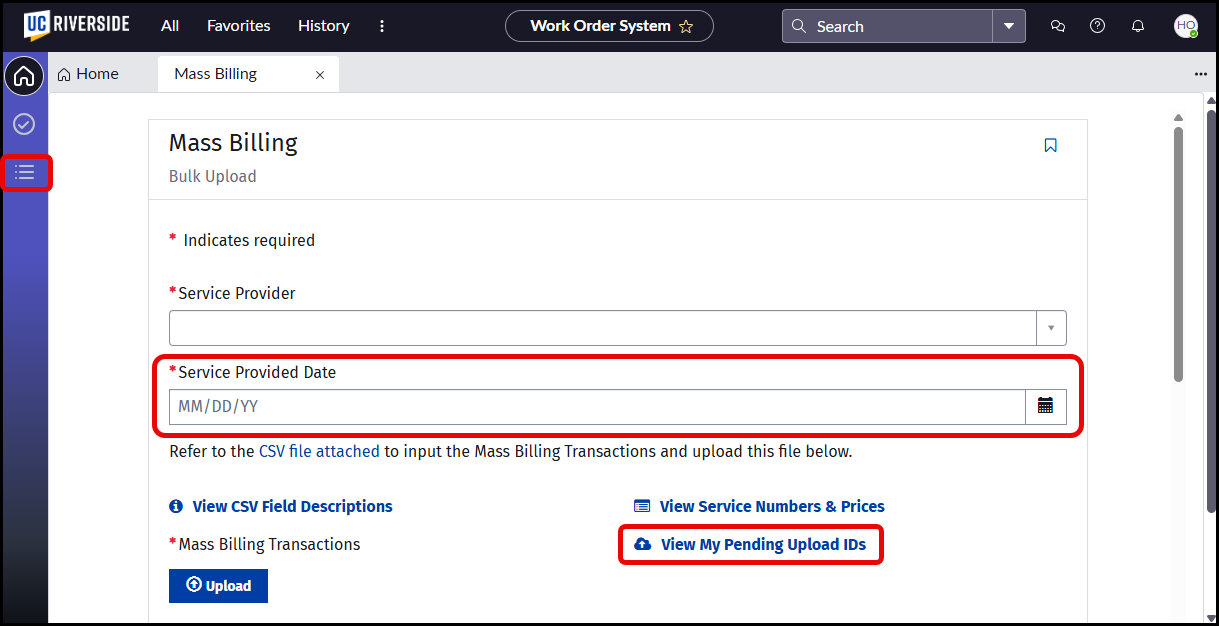
- A Service Provided Date field has been added. If there are multiple dates of service, a different upload should be made for each.
- A link is now available to View My Pending Upload IDs, which allows users to see and copy the required ID to complete the upload process.
- After completing the mass upload process, the page no longer defaults to the Closed Orders page. To see the completed upload, navigate to that page using the menu on the left.
For complete step-by-step instructions and demonstration of the process, please refer to the Web Recharge - Mass Billing Guide.This is now also available on the Training Resources page of the BFS website (link).
|
|
|---|
|
New Punchout Catalog Available!
HD Supply
HD Supply is now active in Oracle. This punchout catalog is replacing Home Depot Pro and offers comparable products to Home depot.
|
|
|---|
|
New DELL Account Representatives!
UCR Dell Rep Information
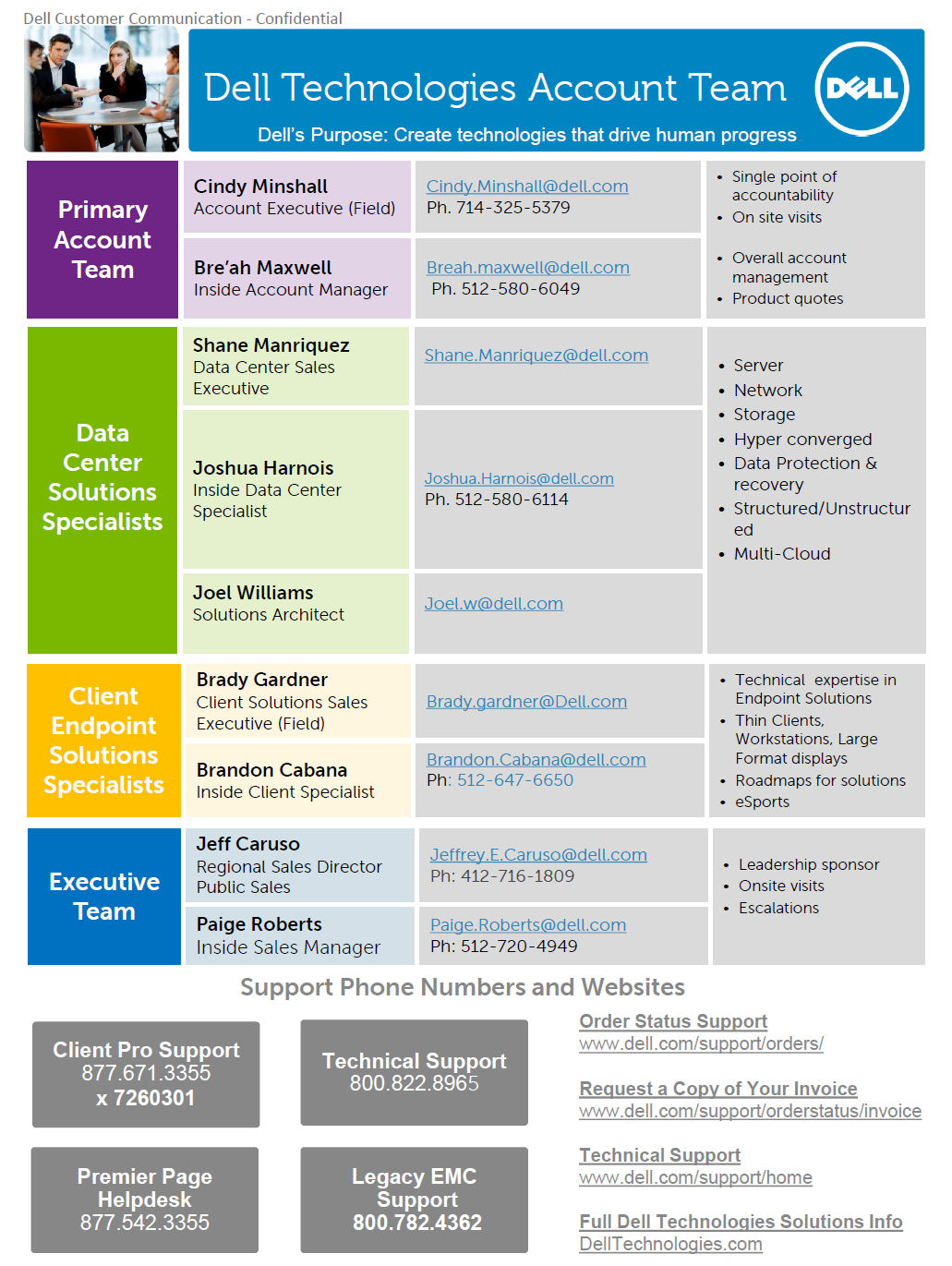
Our campus now has new DELL account representatives (link). This information is also available on the Procurement website for Ordering Desktop Computers & Basic Office Software (link).
|
|
|---|
|
Oracle Procurement Tip!
Validate Button
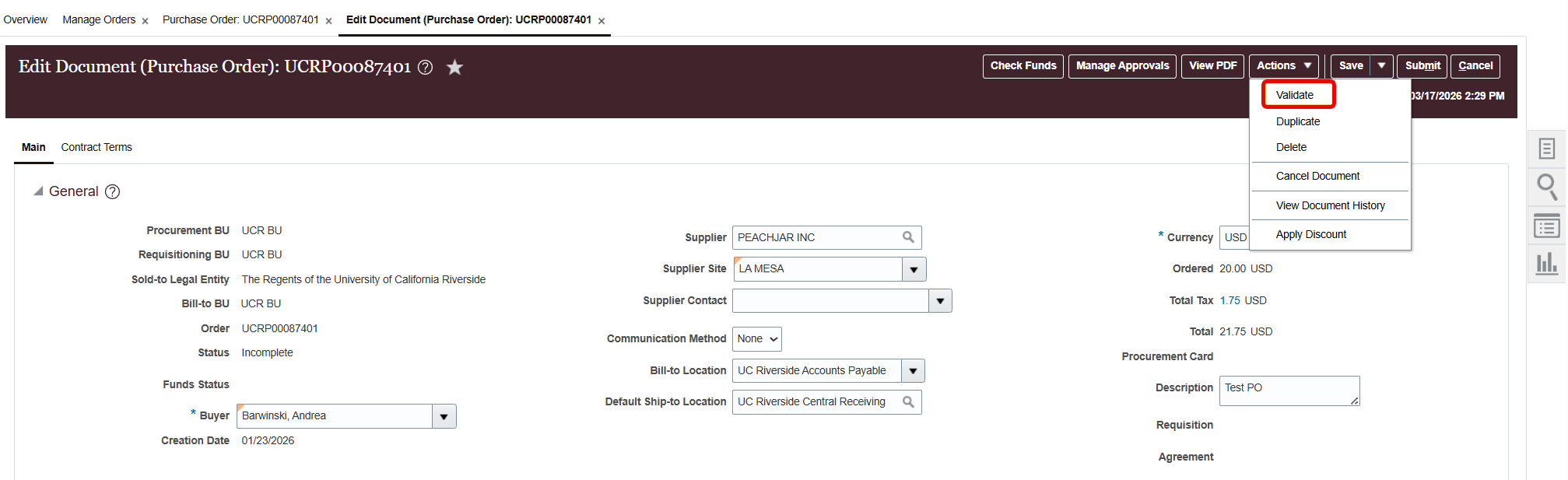
The Validate button on purchase orders acts as a proactive, on-demand check that ensures a purchasing document is valid according to business rules before it is submitted for approval. To use it, Click Actions, then Validate on your PO.
|
|
|---|
|
Have a purchase order over 10K?
Oracle Procurement Reminder
Reminder that all POs above $10K must be initiated by a Procurement Services Buyer.
POs initiated by department-level buyers will result in an error on the PO and further delay processing times.
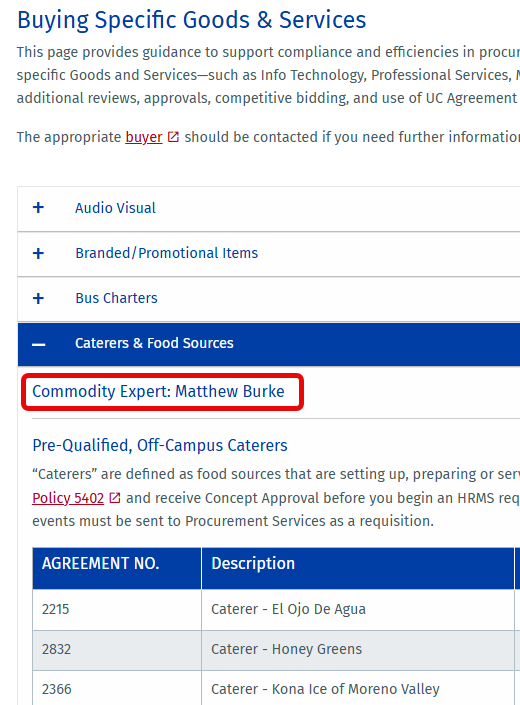
If you are unsure which procurement buyer to reach out to, review the Buying Specific Goods & Services procurement webpage (link). |
|
|
|
|
Unsure why an invoice is on hold?
Holds and Resolutions in Oracle Procurement
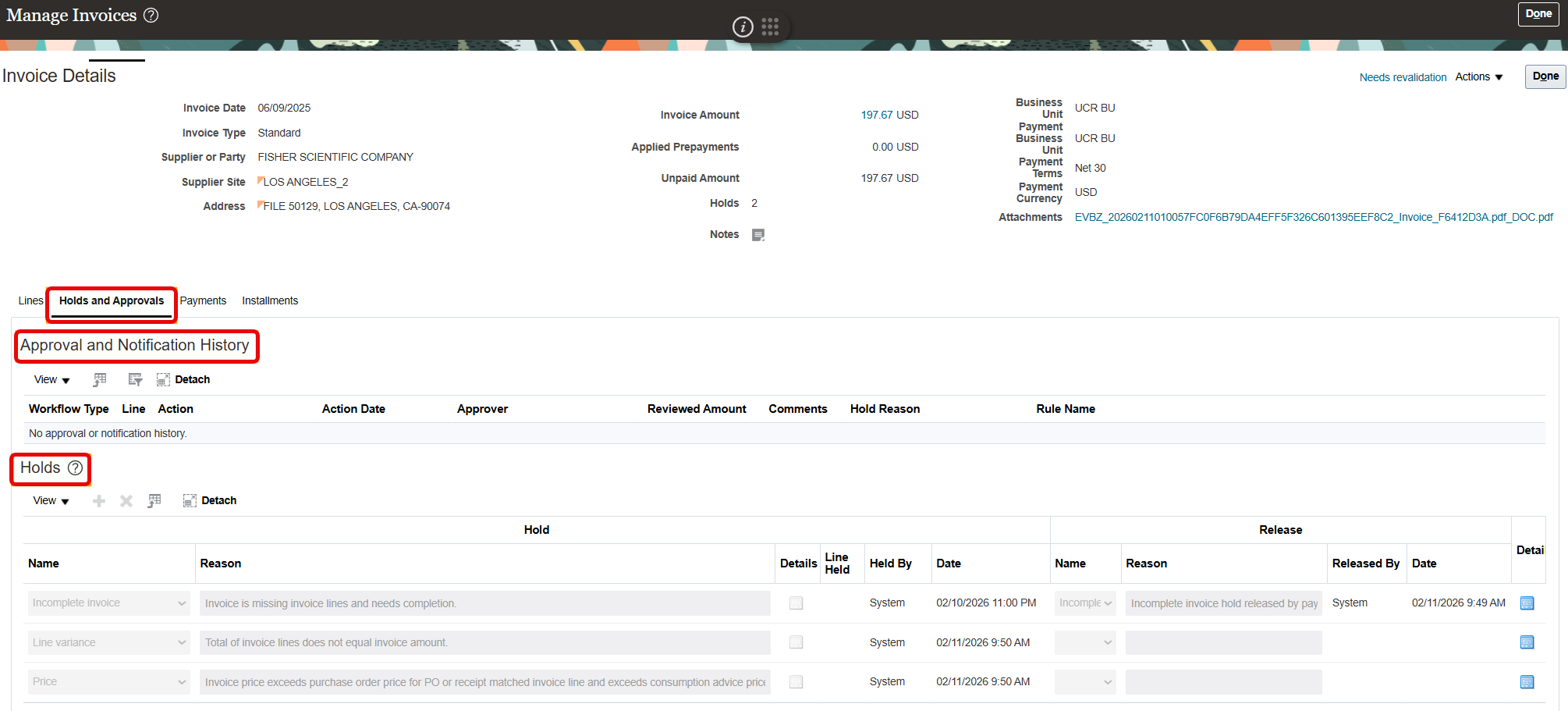
We've received a few tickets asking why an invoice is on hold or unprocessed. Sometimes the issue is that there is a hold that needs to be resolved or that the invoice routed for approval.
- Navigate to the invoice from the Payables Invoices infotile and search for the invoice in question (note: You need the Inquiry JR role in EACS to access this information).
- Click on the Holds and Approvals tab to view any approval requirements or invoice holds applicable to this invoice. (note: refer to the Invoice Holds and Resolutions guide when reviewing invoice holds).
|
|
|---|
|
| |
|
| |
|
|